Your family's week, in one place
Every calendar, chore and shopping list together: on a screen in the kitchen and on everyone's phone.
2 weeks freeNo payment nowCancel any time
Works with
- Google Calendar
- Outlook
- iCloud
- Yahoo and Fastmail
- School and sport calendars
What Calandrea does for your family
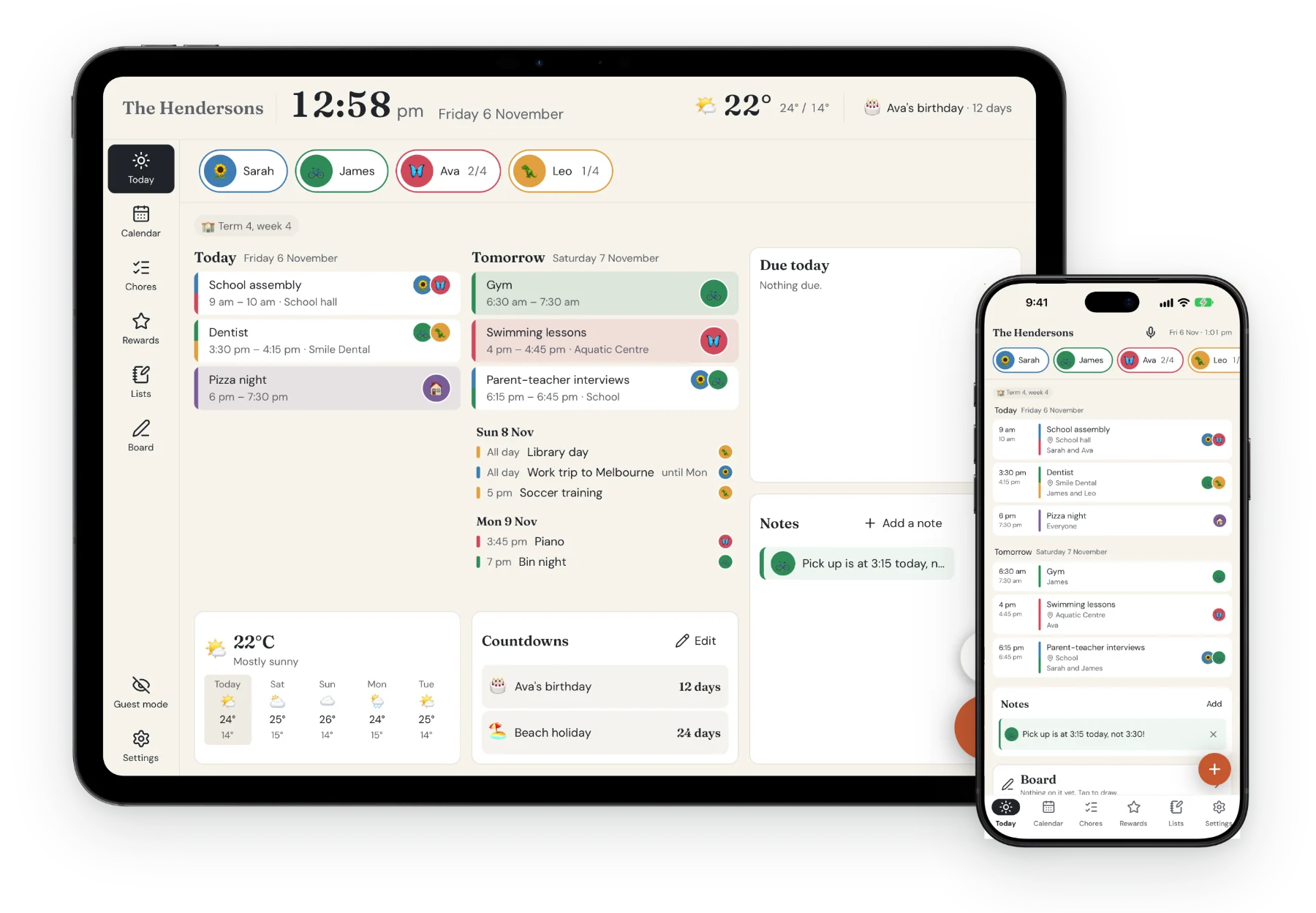
Everyone's plans at a glance
Each person has their own colour, so who's doing what is clear from across the room.
Change it anywhere, see it everywhere
Add something on your phone and it's on the wall a second later. No more “nobody told me”.
Kids who know what's next
Routines with big emoji and stars to earn, so they can see what's left without asking.
Calendar
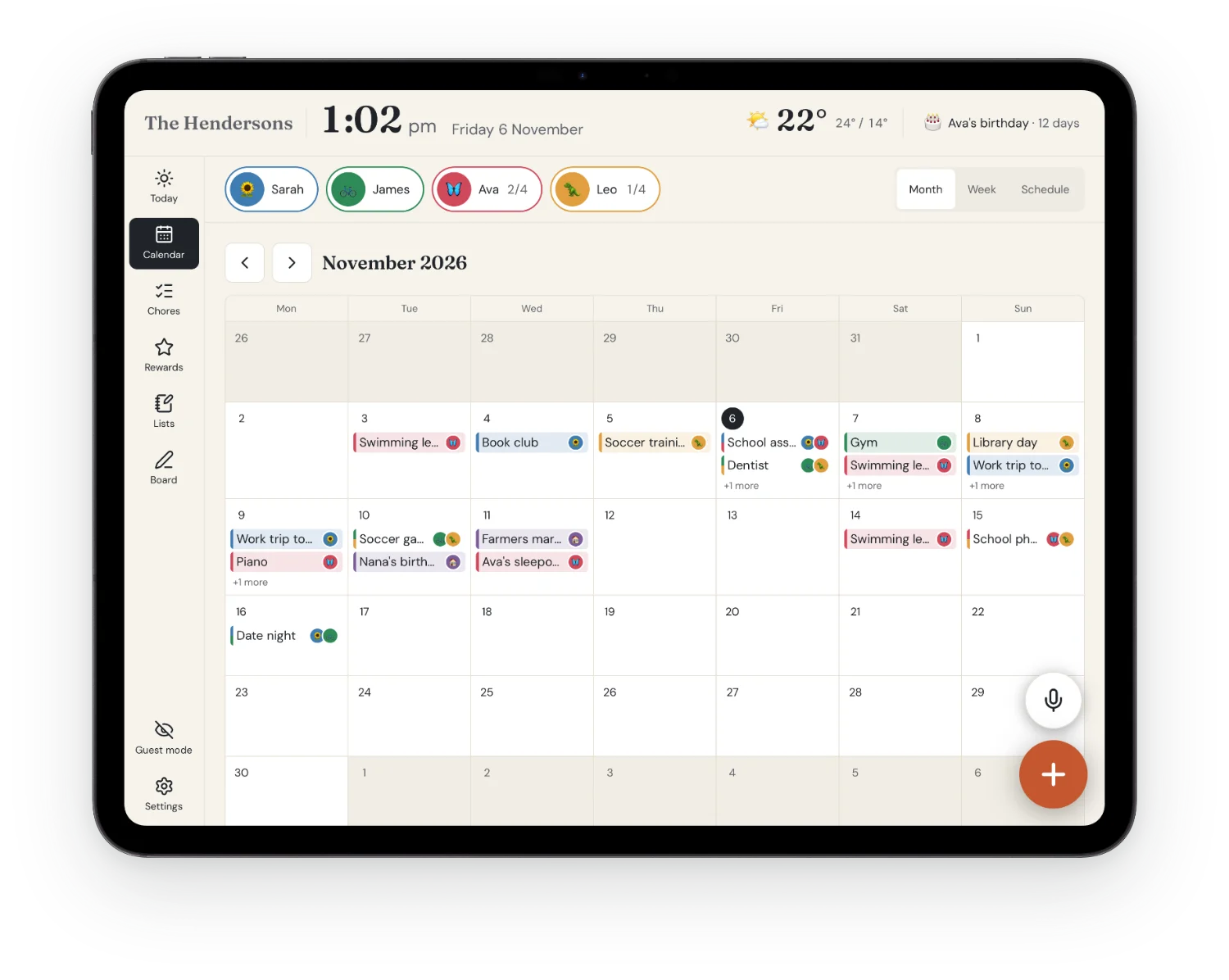
Every calendar, together
Every person gets a colour, so who's busy is clear from across the room. Tap a face to see just their week.
- Google, Outlook and iCloud, both ways
- School, sport and holiday calendars by link
- Public holidays and school terms where you live
Chores
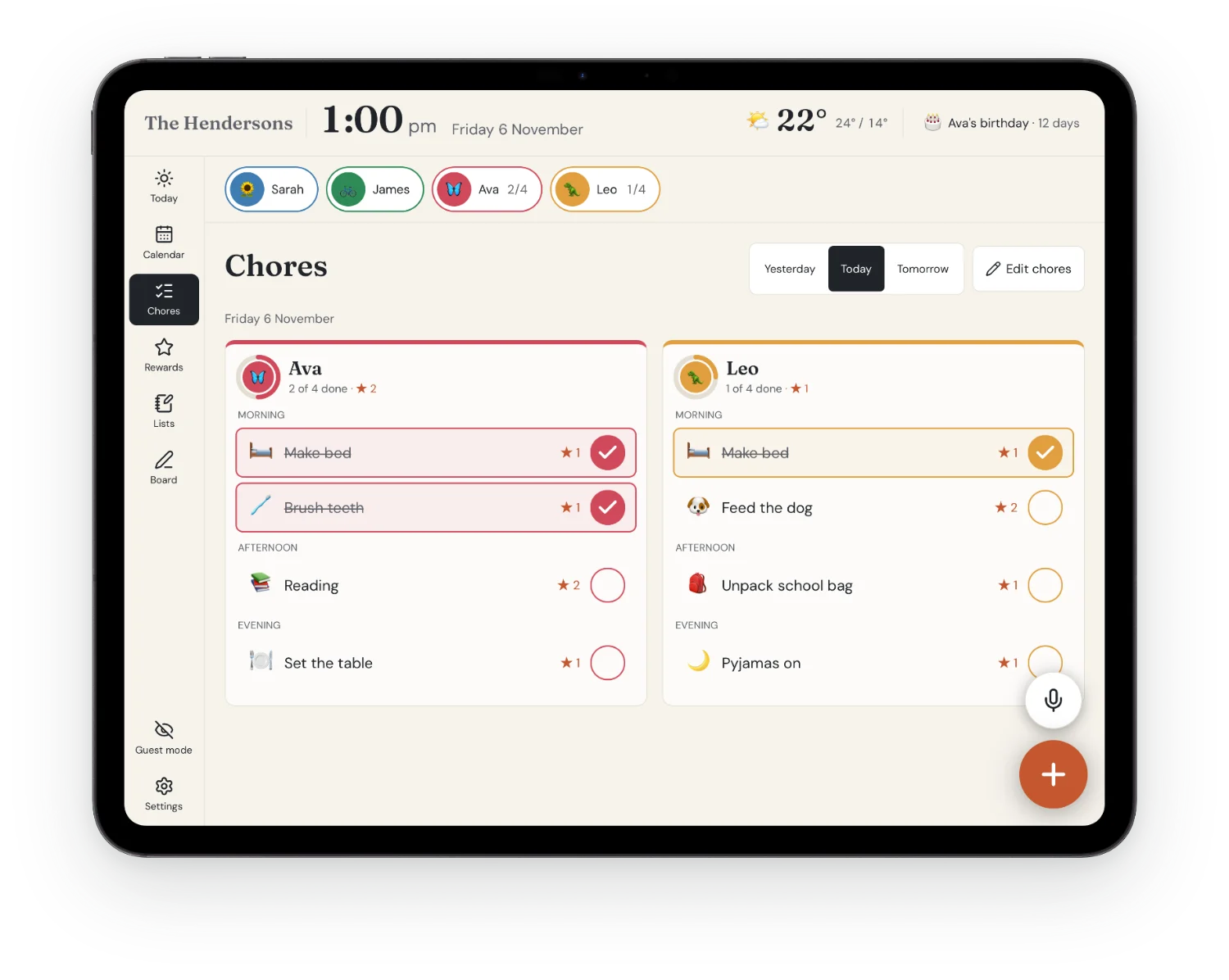
Chores kids actually want to do
Morning, afternoon and evening routines with big emoji, so even little ones who can't read yet know what's next.
- Stars for every chore
- A celebration when the list is done
- Ticked on a phone, shown on the wall in a second
Rewards
Stars they can save and spend
Each child works towards rewards you choose, from an ice cream to a big day out.
- Their own rewards, their own progress
- Save up for something bigger
- Adults can adjust stars and undo
Lists
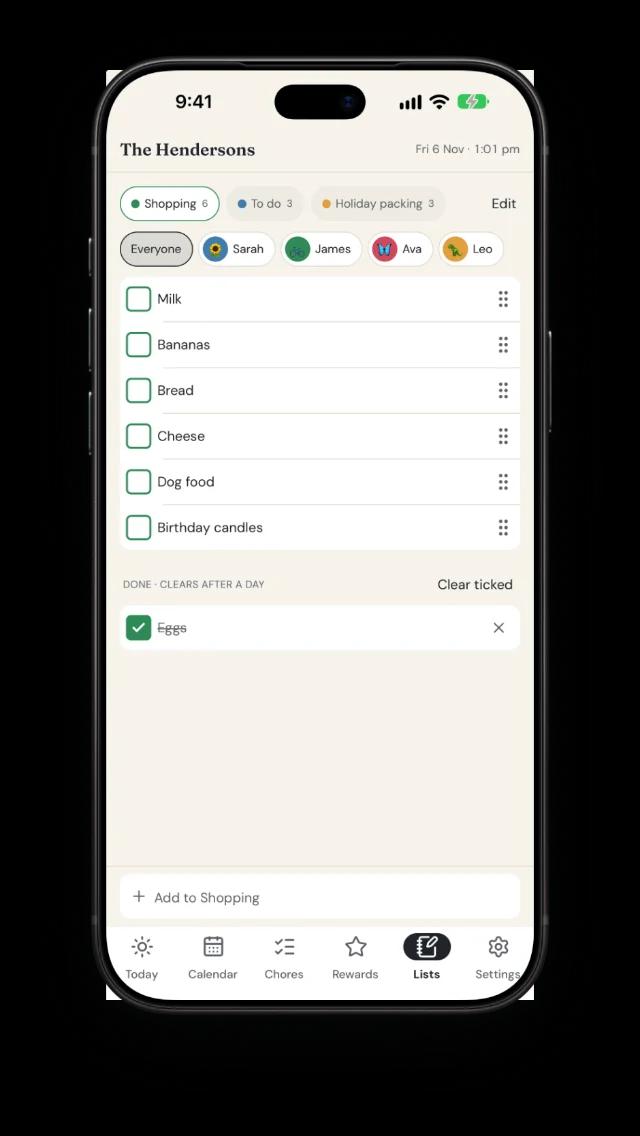
One shopping list. Everyone's phone.
Add milk at the wall, tick it off at the shops. Lists stay in step on every screen.
- Groceries, to-dos and your own lists
- Give an item to someone, with a due date
- Phone reminders when something's due
Voice
Just say it
Tap the mic and say what's happening. Calandrea adds it, moves it or ticks it off, and checks with you first.
- “Hey Siri, tell Calandrea” on iPhone and iPad
- Long-press the app icon for “Add by voice” on Android
- Nothing changes until you tap Add
Import
Snap the school newsletter
Take a photo or add a PDF. Calandrea finds the dates, and you choose what goes in the calendar.
- Excursions, carnivals and sports days in seconds
- Works with photos, PDFs and pasted emails
- Always confirmed before it's added
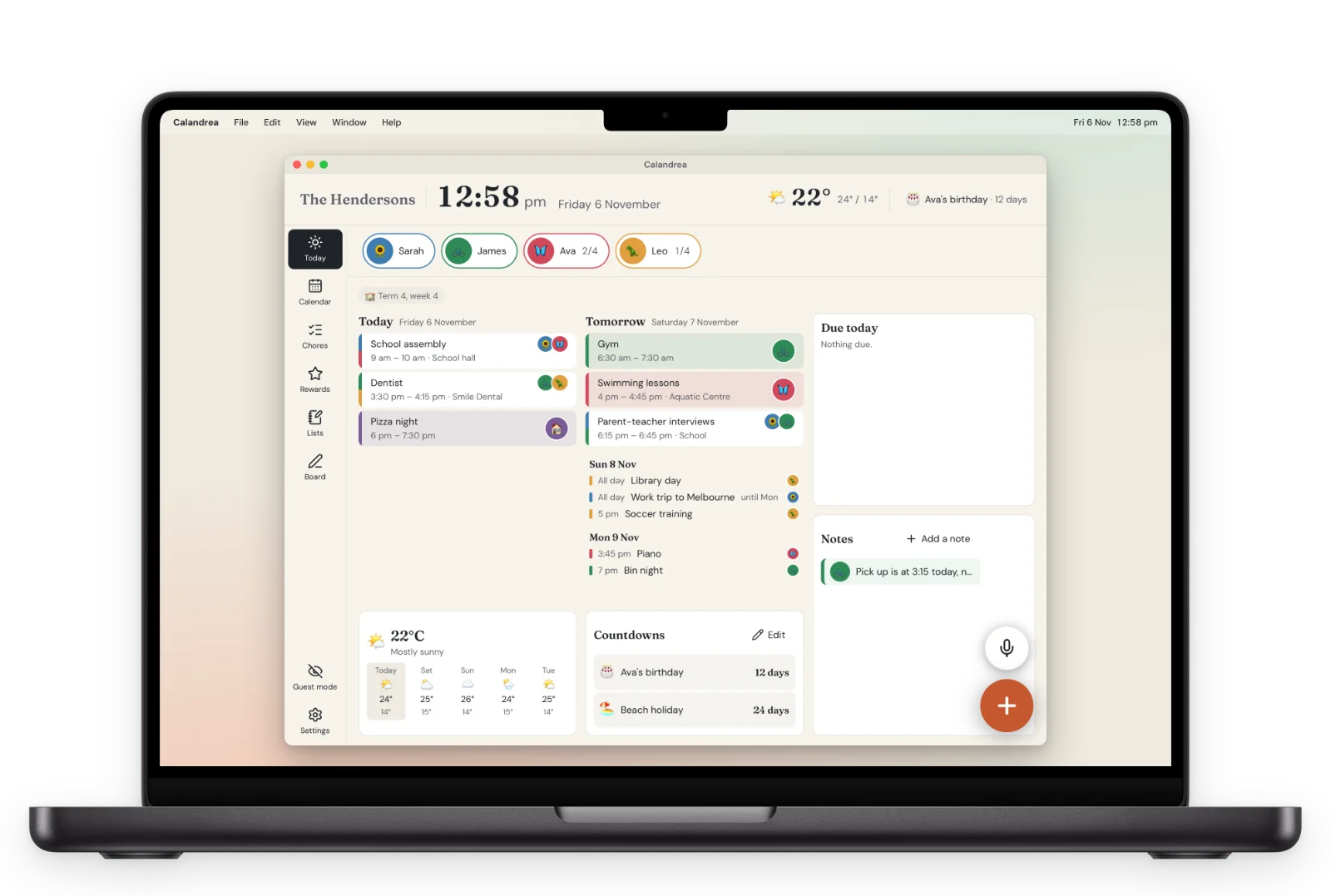
Every screen
Use the screens you already have
No special display to buy. Everyone sees the same week, wherever they look.
On the wall
An iPad with the Calandrea app, or any tablet with a web browser. The one in the drawer will do.
In every pocket
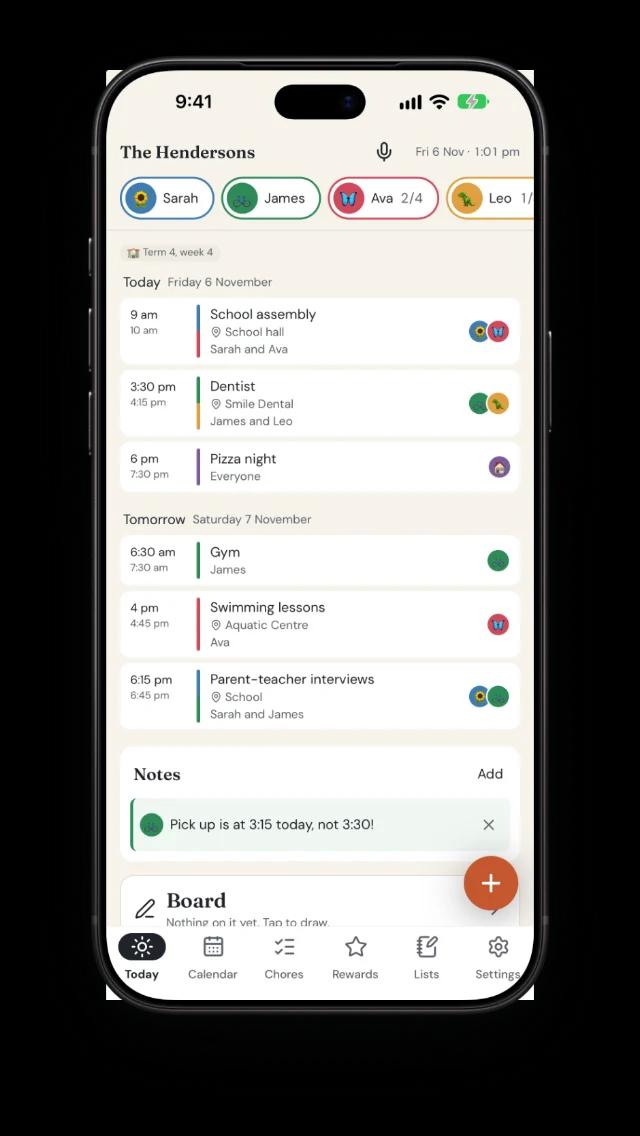
Each adult has the family's week on their own phone, and can add to it from anywhere.
On the desk
On a laptop or computer, in the web browser. Handy for planning the week ahead.
Every room
A display for every room
Each display has its own settings, so it fits where it hangs. Everything starts the same as the rest of the house, and you change only what you want.
Kitchen
The family's whole day, where everyone passes it.
- Everyone's reminders ring
- Light by day, dims at the household's bedtime
Kids' room
Their own day, without the grown-ups' meetings ringing.
- Only their reminders ring
- Dark theme and an earlier night mode
Hallway or front door
A last look on the way out: what's on, and the weather.
- A name you'll recognise, like “Front door”
- 24-hour clock, and Guest mode for visitors
Holiday house or a second home
The same family calendar, in another place.
- Its own location for the weather
- Its own time zone for the clock and the day
Adults change a display's settings from their phone or computer, so little hands can't. The calendar, notes, the board and lists are shared by every display in the house.
On the wall
Made to be read from across the kitchen
Big type, big buttons, and all the little things a family checks on the way out the door. After bedtime it dims itself, so it's gentle at night.
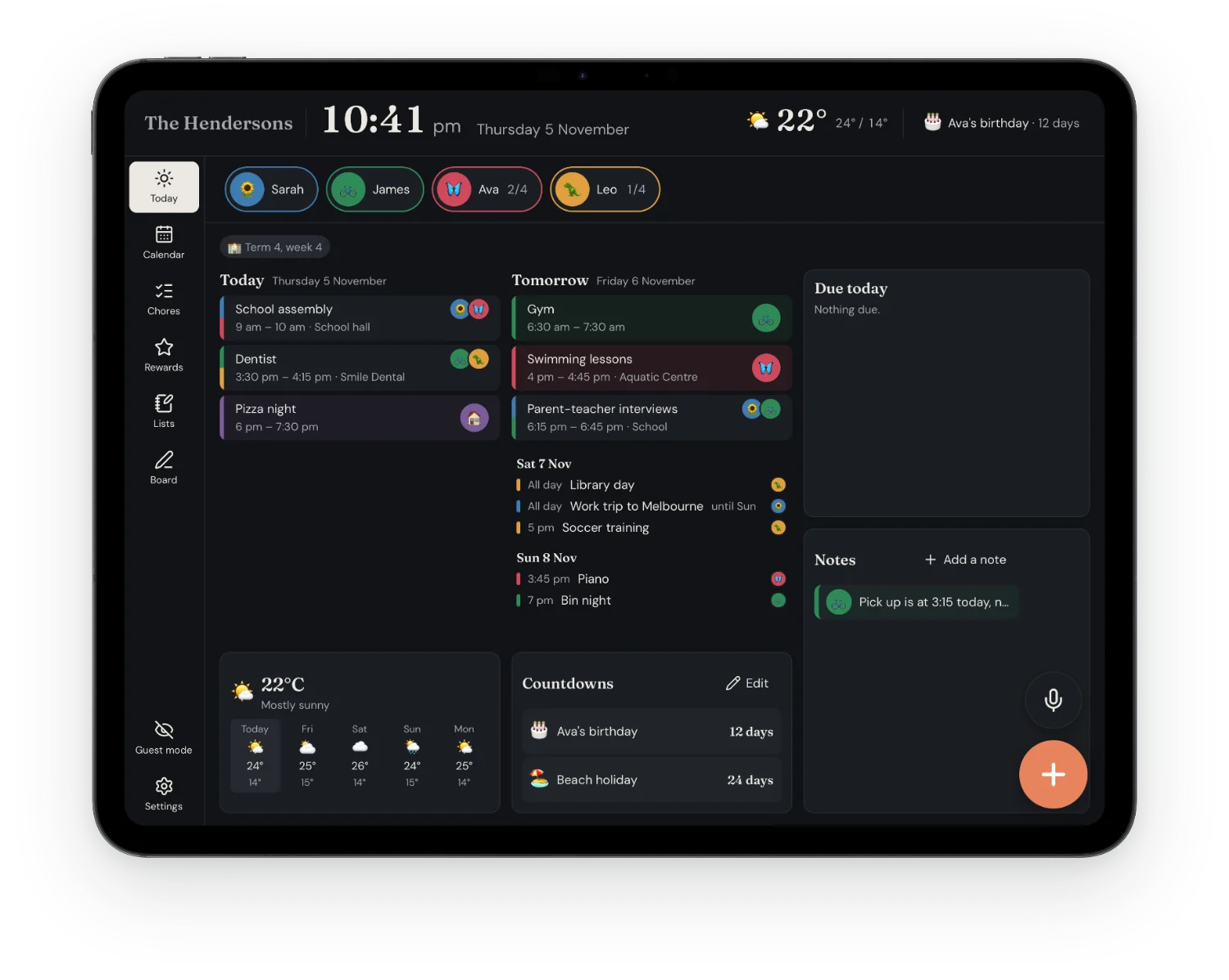
Weather
Now, today and the week ahead
Countdowns
Birthdays, holidays and trips
Bin night
Which bin goes out, and when
Reminders
On the wall and on your phone
Whiteboard
Notes in your own handwriting
Timers
Big, loud and easy to stop
Photo screensaver
Your photos when it's idle
Night mode
Dims itself at bedtime
Guest mode
Covers it all when visitors come
Optional PIN
So only grown-ups can change things
Made for how you live
Families, couples, housemates, and homes apart
Tell Calandrea who lives with you and it shows what fits, and hides what doesn't.
For families with kids at home
Everyone's sport, school and work in one place, and the kids can see their own day without asking.
- A colour for everyone, so the busy days stand out
- Chores with stars, and rewards they save up for
- School terms and public holidays where you live
For two
Choose “Couple” and turn off “Children live here”: the stars, rewards and school dates disappear, and what's left is your week together.
- Both calendars side by side, in your own colours
- Date nights, trips and the shopping, shared
- Pets too, with their own vet visits and chores
For housemates
Which bin goes out, who's buying what and who's home this weekend, without a group chat to scroll through.
- Bin night on the wall the evening before
- Shared lists, with an item given to someone and a due date
- Chores for the house, without the stars
For homes far apart
A wall in each home, one shared calendar. It's morning on one and night on the other, and both are right.
- Each wall keeps its own time zone and weather
- A shared event is at the same moment for both of you, shown in each one's local time
- Leave a note or a drawing, and it's on the other wall too
It works the same for separated parents with a wall in each home, and for a holiday house: one calendar for the children or the family, each place on its own time.
Up and running in three steps
No new hardware. Use the tablet in the drawer.
Create your family
Add everyone with a colour and an emoji or photo. Invite the other adults.
Connect your calendars
Google, Outlook, iCloud, or a link from school or sport.
Put a screen on the wall
Open Calandrea on any tablet, old phone or laptop, or get the app on your iPad, and enter a 6-digit code.
Why we built it
We kept our family's plans on a paper calendar on the fridge. It never kept up: half of what mattered lived in someone's phone, school dates came home in newsletters, and by the end of the month it was all crossings-out. The wall displays I found were expensive and only worked on their own screen.
So I built Calandrea: the calendars we already use, on a tablet we already had, on the wall where everyone can see it. I hope it makes your family's week a little easier too.
 David, Calandrea's founder
Your family's business stays your family's
- Your family's data is kept apart from every other family's
- Calendar connections are encrypted and never leave our servers
- No ads, no trackers, and we never sell your data
The Calandrea app
On your iPhone and iPad
Your family's week in your pocket, and a wall that stays on all day. Sign in with the same account as on the web.
- Free to download
- The same 2-week free trial
- Pair an iPad as your wall with a 6-digit code


On a computer? Scan with your iPhone's camera.
One price for the whole family
Every adult, every child and every screen on the wall.
2 weeks free
US$7.99a month
or US$79.99 a year (12 months for the price of 10)
- Calendar, chores, rewards and lists
- Any number of adults and walls
- Voice and newsletter import
- The web and the Calandrea app
No payment nowCancel any time
Try for US$0.002 weeks free, then US$7.99 a month. Subscribe here or in the Calandrea app.
Questions
Do I need an iPad?
No. The wall can be any tablet, old phone or laptop with a web browser, or an iPad with the Calandrea app from the App Store. Adults use it on their phones and computers too.
Is there an app?
Yes: Calandrea is in the App Store for iPhone and iPad. On Android and computers, use it in the browser at calandrea.app. It's the same account and the same family everywhere.
Which calendars does it work with?
Google, Outlook and iCloud (and Yahoo, Fastmail or any CalDAV calendar), both ways: changes on the wall show in your calendar app and the other way round. School, sport and holiday calendars come in by link.
Can young kids use it?
Yes. Chores use big emoji and each person's colour, so kids who can't read yet still know what's theirs. Turn on a PIN if you'd rather only adults could change things.
Can we use it if we don't have kids?
Yes. In Settings, choose who lives here (a couple, housemates or something else) and turn off “Children live here”: stars, rewards and school dates disappear, and chores, lists, bin night and the calendar stay. Nothing is deleted if that changes.
Can we use it in two homes?
Yes. Put a display in each home and give each one its own location and time zone, so its clock, day and weather are right where it hangs. Each adult can have their own time zone too. The calendar, notes, the board and lists are shared by both.
How much does it cost?
2 weeks free, then US$7.99 a month or US$79.99 a year. One subscription covers the whole family: every adult, child and wall screen.
Can I cancel?
Any time, in Settings > Account or in your App Store or Google Play subscriptions. Cancel before the free trial ends and you won't be charged.
Is my family's information private?
Yes. Each family's data is kept apart, calendar connections are encrypted, and there are no ads or trackers. The details are in our privacy policy.
Someone in my family invited me. What do I do?
Invited to a family? Open the invite link they sent you. It signs you in and adds you to their family.

Put your family's week on the wall
Use a tablet you already have, and try it free for 2 weeks.